GHOSTLOG

A dev-notes tool that never phones home.

Ghostlog watches the projects you point it at: commits, failed shell commands, and moments you flag in a localhost tab, turning them into a running, searchable log of what happened and why. Free, open-source, local-first. No account, no cloud, no telemetry.

Current released version 1.1.0
What it captures

Zero manual note-taking required for most of it.

TriggerHow it fires
File changesA filesystem watcher on each watched project (git repos only) picks up meaningful edits as you work.
Git commitsA post-commit hook calls Ghostlog's CLI mode, which reads the commit diff and drafts an entry.
Shell errorsAn optional shell hook captures the command and exit code whenever a terminal command fails.
Browser eventsA companion browser extension can flag a moment on a localhost tab — e.g. a console error — optionally attaching a screenshot.

See it in action

Home → Archive → Curate → Compile.

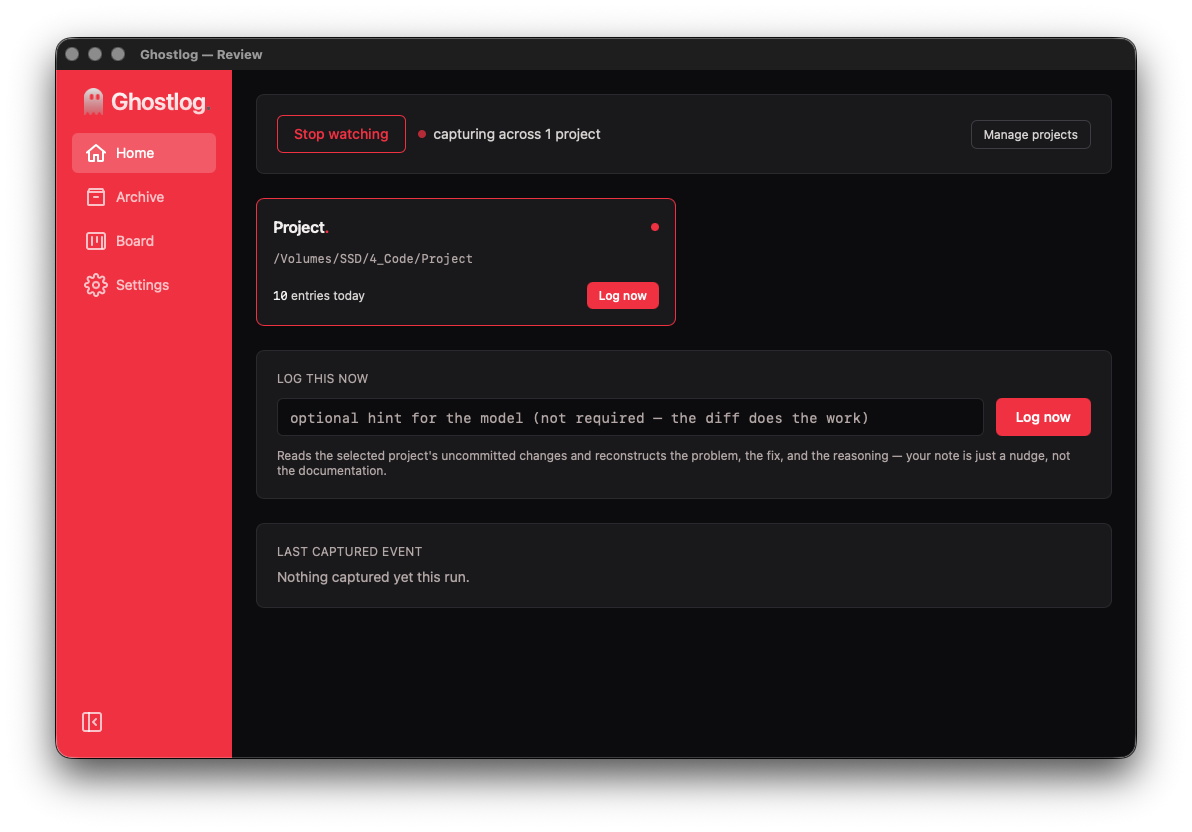
Home

The tray-owned review window: watch status, one-click manual capture per project, and the most recent capture.

Ghostlog Home screen showing watch status and one-click capture

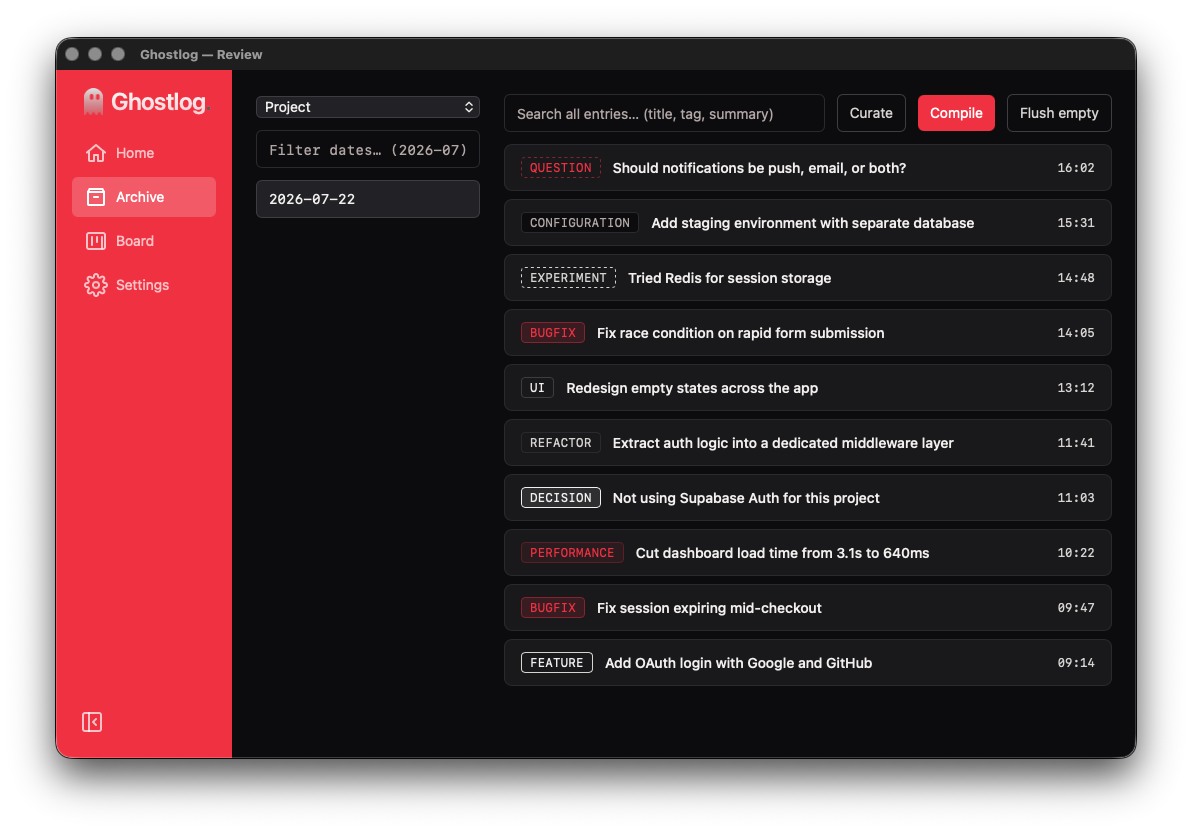
Archive

Every entry, browsable by date and searchable across all entries by title, tag, or summary text.

Ghostlog Archive screen showing a searchable, tagged list of entries

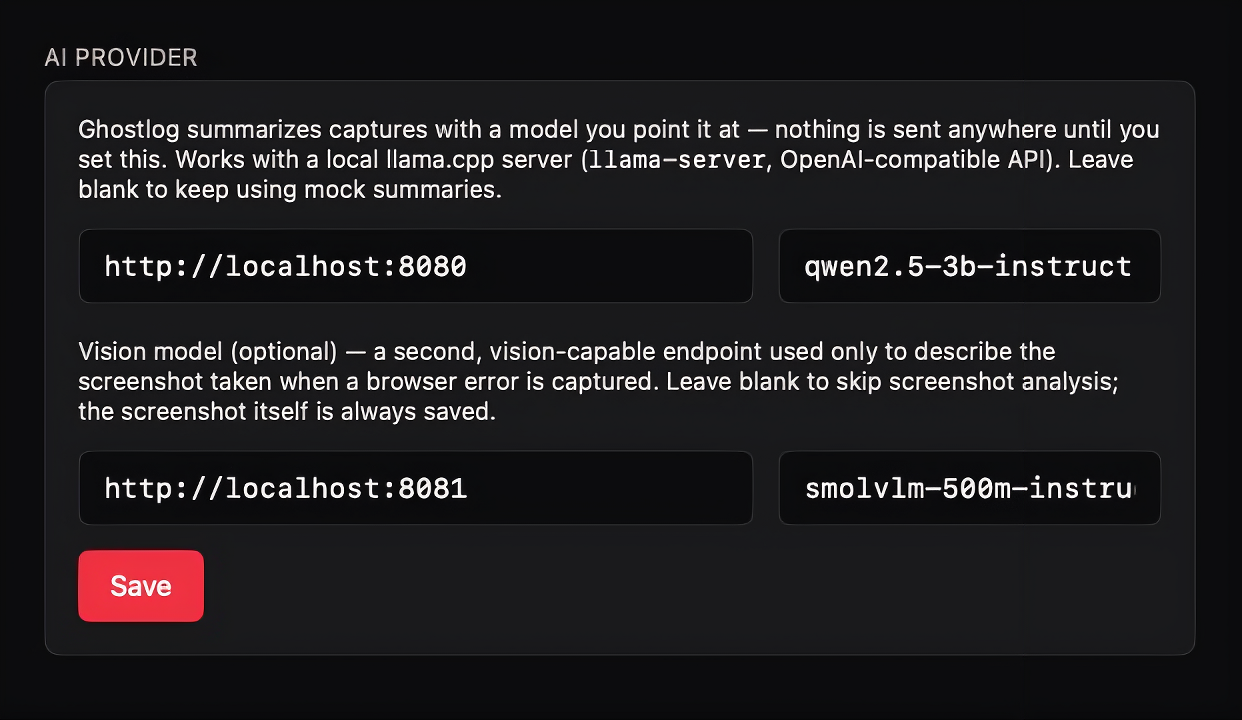
Settings → AI provider

Point Ghostlog at a local llama.cpp server. Nothing is sent anywhere until you set this; leave it blank to keep using mock summaries.

Ghostlog Settings screen for configuring a local AI provider

Why local-first

Zero network ports

Frontend ↔ backend is Tauri IPC. App ↔ browser extension is Native Messaging over stdio, not reachable by any webpage.

No cloud, no telemetry

Ghostlog doesn't know you exist. AI drafting is bring-your-own: point Settings at a local model server, or leave it unset.

Path scoping in Rust

Watched folders must be the root of a git repository, validated server-side, never trusted to the UI.

One folder, no hidden state

Compiled documents, screenshots, and session data all land where you choose, nothing scattered across the filesystem.